LATCH AI
AI Workflow Capture for Enterprise Teams: Making Agent Behaviour Visible and Understandable
Latch turns the way people already work into automations. Instead of configuring rules, you show it a task and it learns. I designed that teaching moment, so people can see what the agent picks up and stay in control of it.
The problem
Non-technical people can't describe their workflows clearly enough for an AI to automate them.
What I designed
Capture where Latch watches, listens and asks one question at a time, plus rules for how the agent behaves.
What changed
People trusted capture once they could see exactly what Latch observed, and correct it before anything was built.
Role
Product Designer
Team
PM, UX Researcher, Engineers, Product Designers
Duration
6 months, shipped 2026
Tools
The problem
Workflows live in people's heads
Operations work moves between SAP, spreadsheets, inboxes and portals by hand. The people doing it know every step, but automation tools expect a technical team to turn that knowledge into rules.
Latch's idea
Don't describe it. Do it, and let the AI watch.
The hard part becomes handing that knowledge to an agent, and trusting what it learned.
Reframing the brief
We were asked to design the dashboard where people monitor their automations. But a dashboard can only show what was captured, and capture was where things broke: people skip the steps they do without thinking, and the agent never sees the exceptions. So we moved upstream, to the moment the knowledge changes hands.
We didn't ask people about automation. We asked what broke last week. Each round narrowed who we were designing for, and what they'd need to trust it.
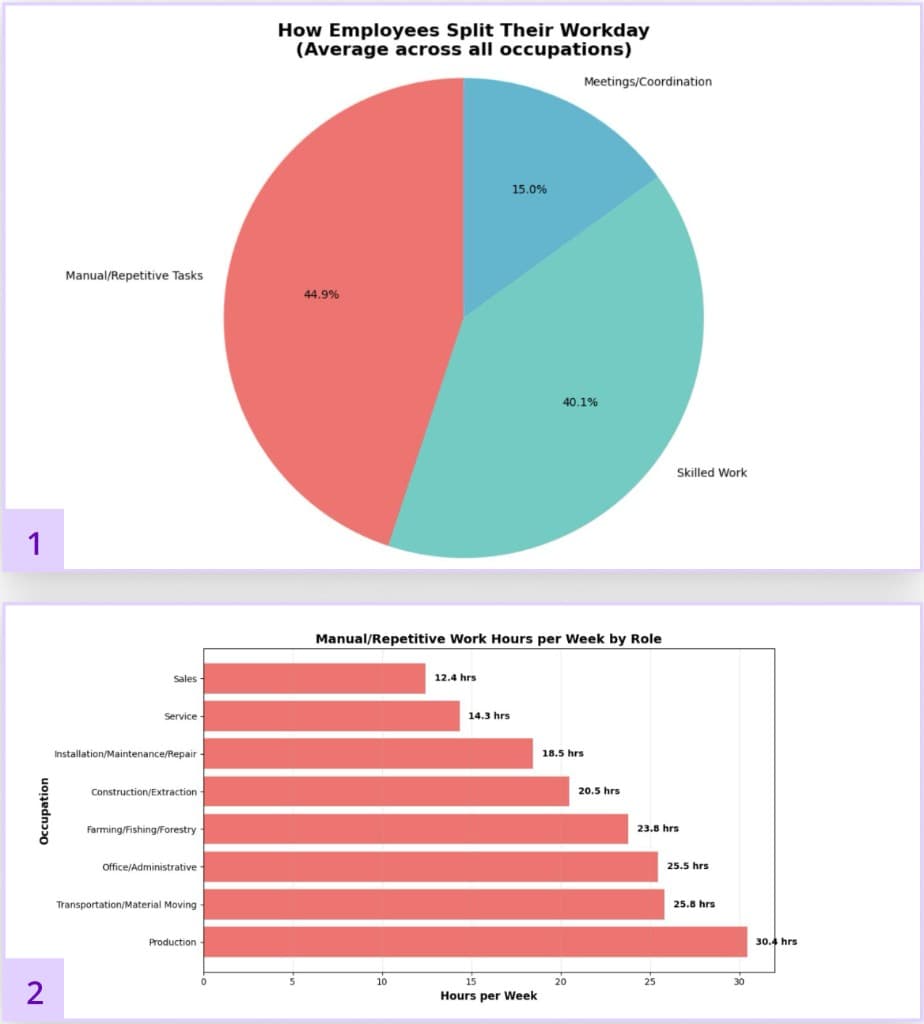
Who loses the most time
Manual work peaks in production, transport and office support, so we designed for SMB employees there, not executives.
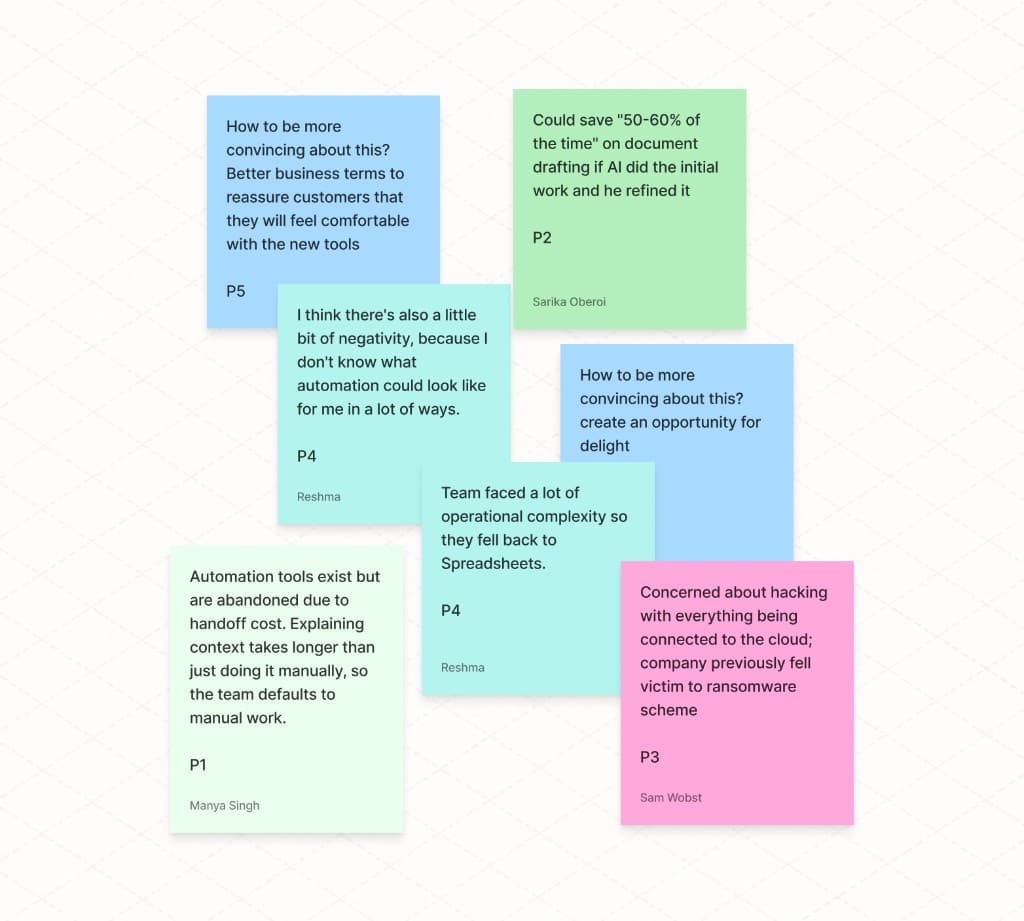
Why tools get abandoned
Explaining context to a tool took longer than doing the work, so teams fell back to spreadsheets.
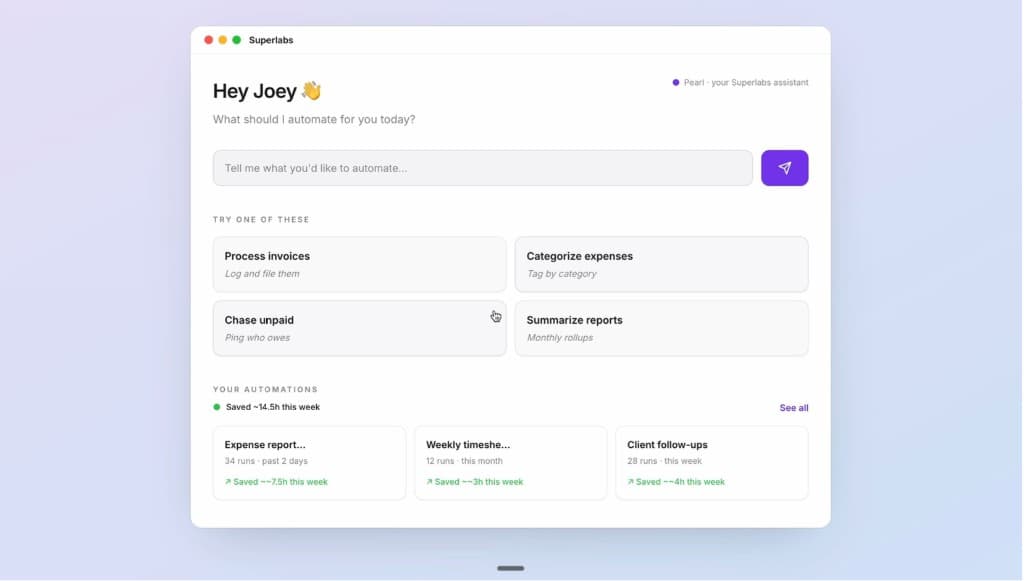
A working prototype
Coded prototypes let people react to real behaviour, and showed us where their trust broke.
In their words
I need to see with my own eyes that it's doing it the right way before I start trusting it.
Automation tools exist but are abandoned due to handoff cost. Explaining context takes longer than just doing it manually.
Trust is earned the way you train an intern
People check the first runs closely before they let go.
Review before anything is built
A wrap-up screen to confirm what Latch captured.
The anxiety is about invisibility
Not "AI", but not knowing what it saw or where it misunderstood.
An observation log
Every step Latch tracked, visible at any moment.
Everyone is already a human API
Office managers stitch tools together by hand.
Capture across apps
Latch follows app switches and refers to them in its questions.
Everyone is selling to IT
Competitors assume a technical team sets things up.
Setup by showing and talking
No configuration: you work, Latch watches and asks.
Competitors reviewed









Early journeys had three separate features. Mapping real workflows (billing, vendor onboarding, scheduling) showed they were one loop: Latch records, asks a light question to fill a gap, and lets you correct it in conversation. Each pass captures more.
Approachable
How might we make workflow documentation feel approachable to non-technical users?
Observable
How do we design a capture experience that feels observable, not surveilled?
The second question was harder. The richer the capture, the more exposed people felt.
So the answer was never to observe less. It was to make every observation visible, explained before it starts, and stoppable at any moment.
We built two working prototypes in Cursor and tested the extremes.
Ambient, minimal
A quiet copilot, until something broke and people hunted for where Latch was looking.
Zoom-like, explicit control
Clear modes and boundaries, at the cost of feeling watched on sensitive screens.
Decision
Participants sat between the two, so we combined the restraint of A with the clarity of B.
In interviews, not knowing what was being recorded worried people more than the AI itself. So before anything starts, Latch shows exactly what it will observe, one consent moment per mode.
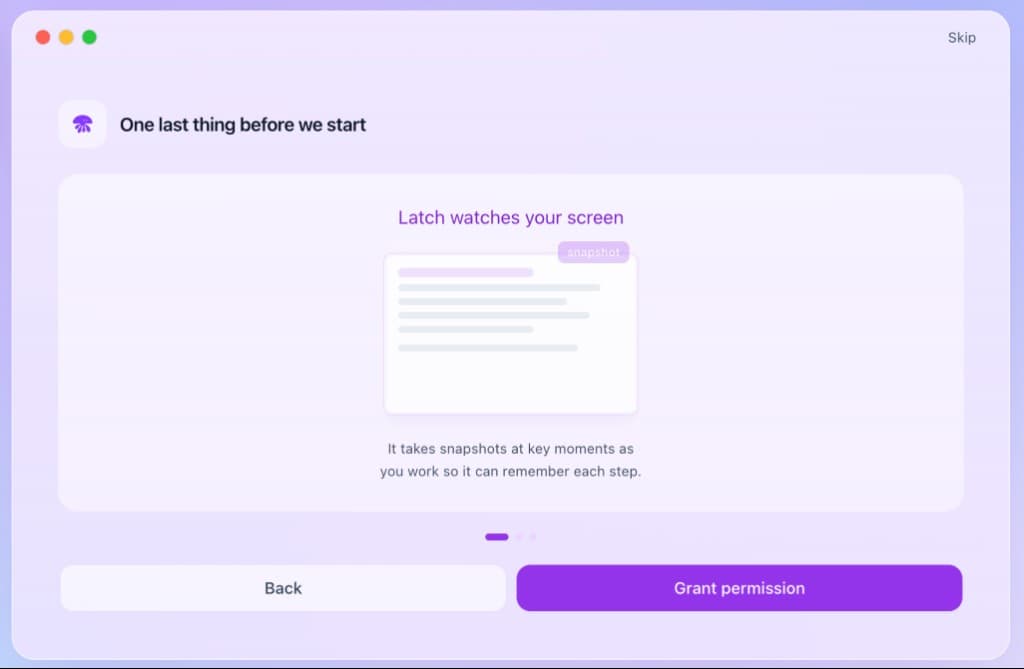
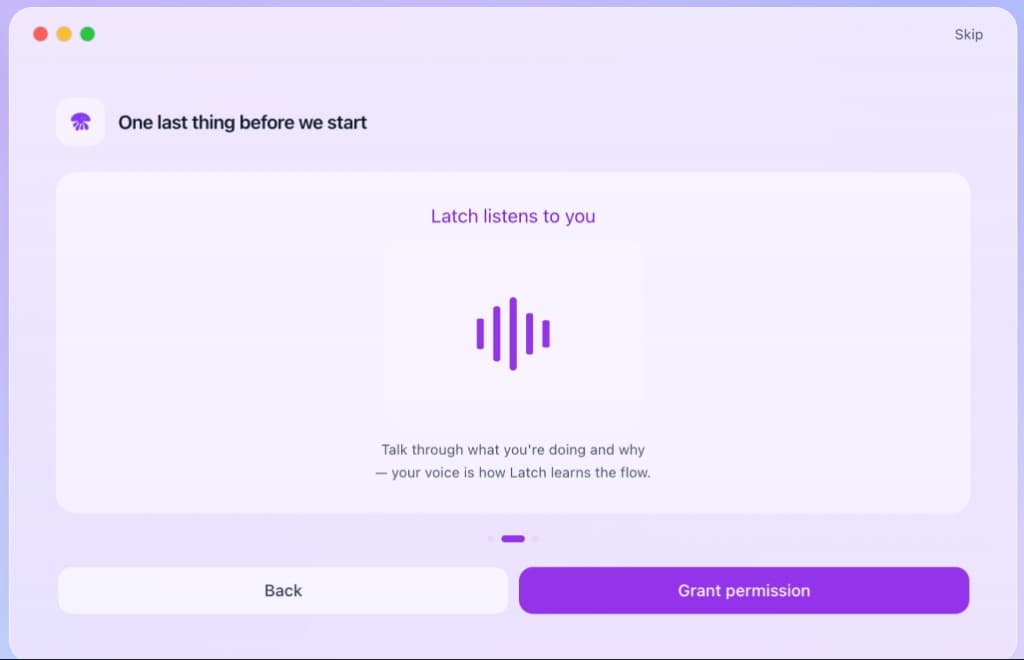
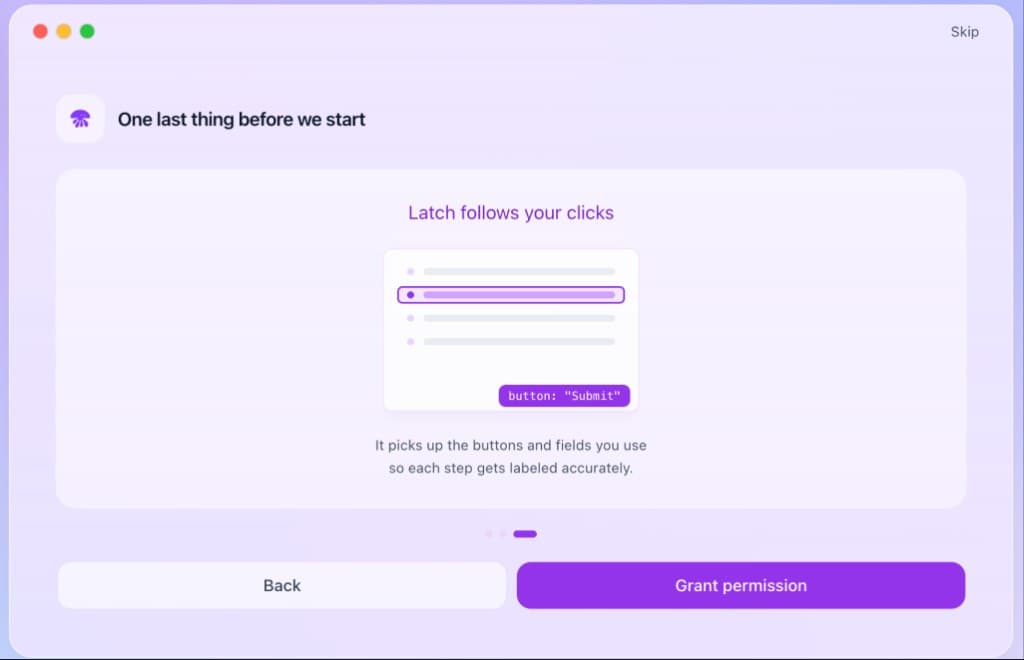
Non-intrusive interface
It stays out of your way
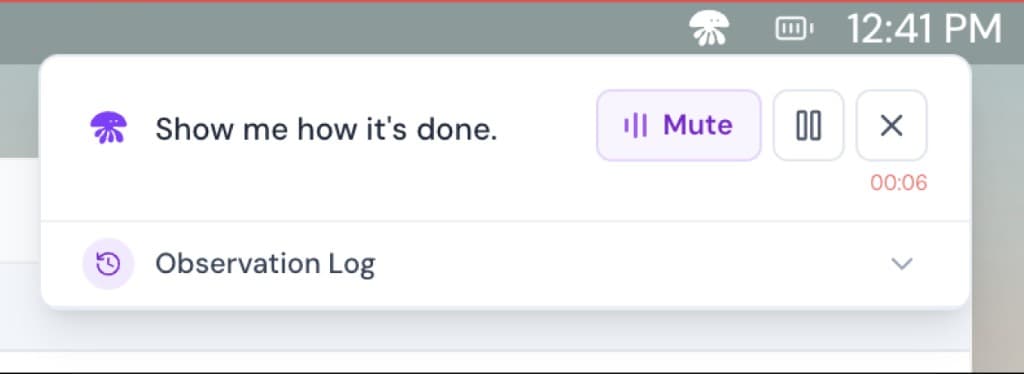
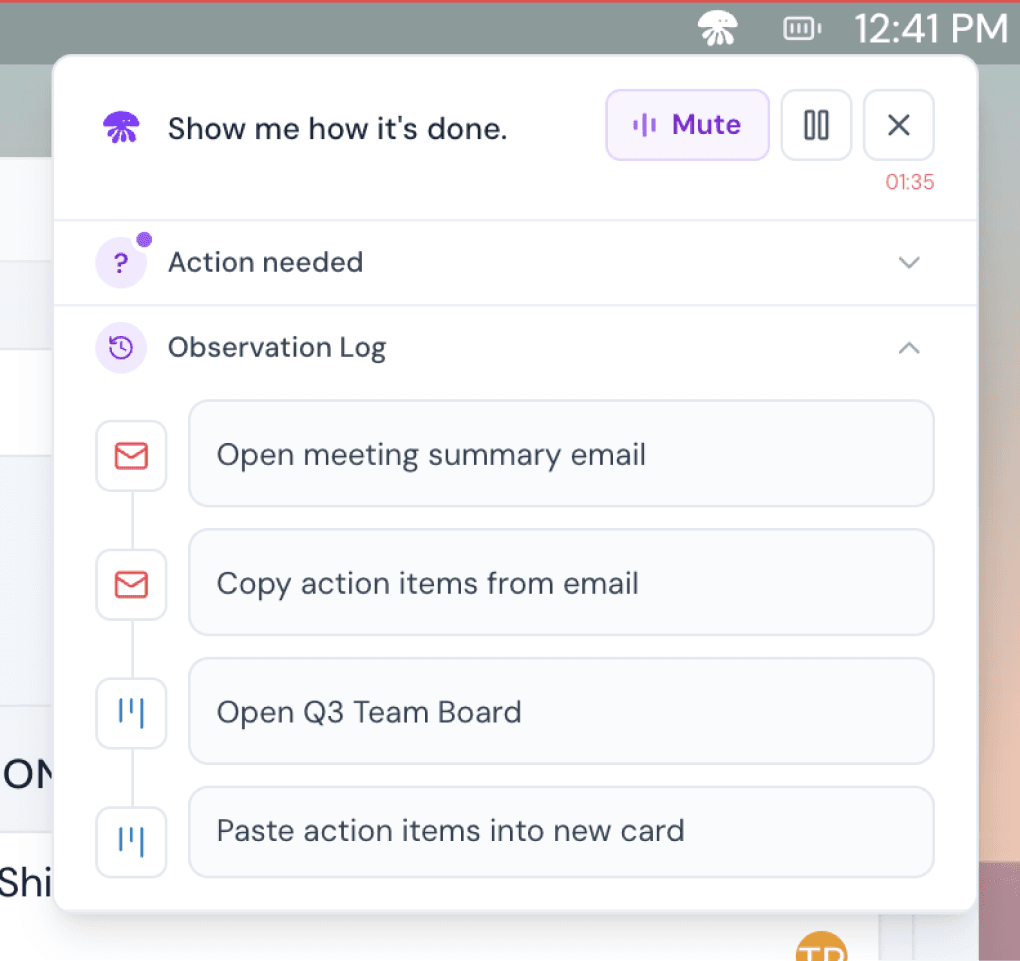
One small panel in the corner: mute, pause and stop are always one click away.
It shows what it saw
An observation log lists every step Latch tracked. In testing, seeing it noticeably increased confidence.
One real session: Sam turns a meeting summary into action items on the team's Trello board, and Latch learns how. Every moment keeps Sam on the work, not on managing the AI.
Capture
Sam says "Show me how it's done" and starts working
Decision
A floating panel keeps the work primary: present enough to follow along, quiet enough not to interrupt.
- Latch listens and watches while Sam works normally.
- It notices app switches and on-screen actions, and refers to them in its questions.
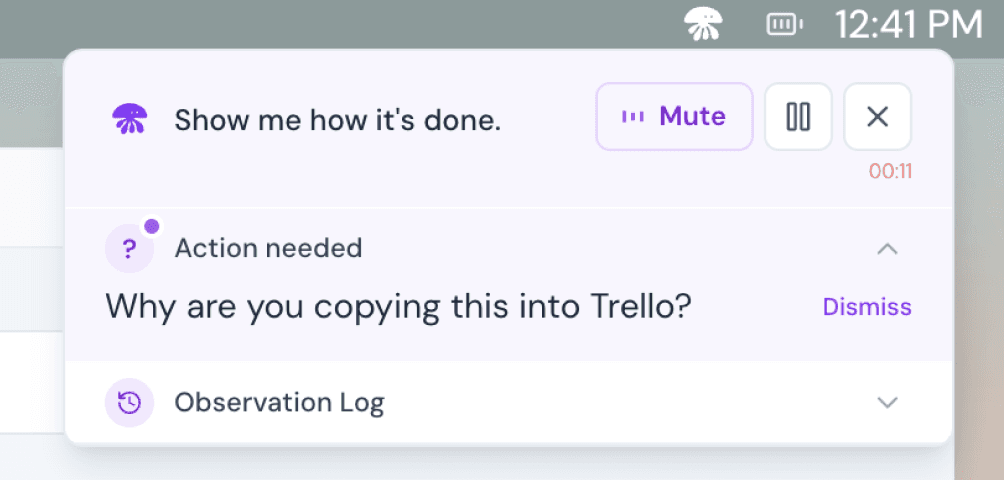
Follow-up
One question: "Why are you copying this into Trello?"
Decision
One question at a time, asked only at a natural pause, never mid-thought. Sam can dismiss it.
Revisit
The observation log shows every step it saw
Decision
A correction only changes the step it touches, so people fix instead of redo.
- Open email, copy action items, open the Q3 board, paste into a new card: each step listed as Latch understood it.
- Re-record a step, add context, or upload a supporting file.
Wrap-up
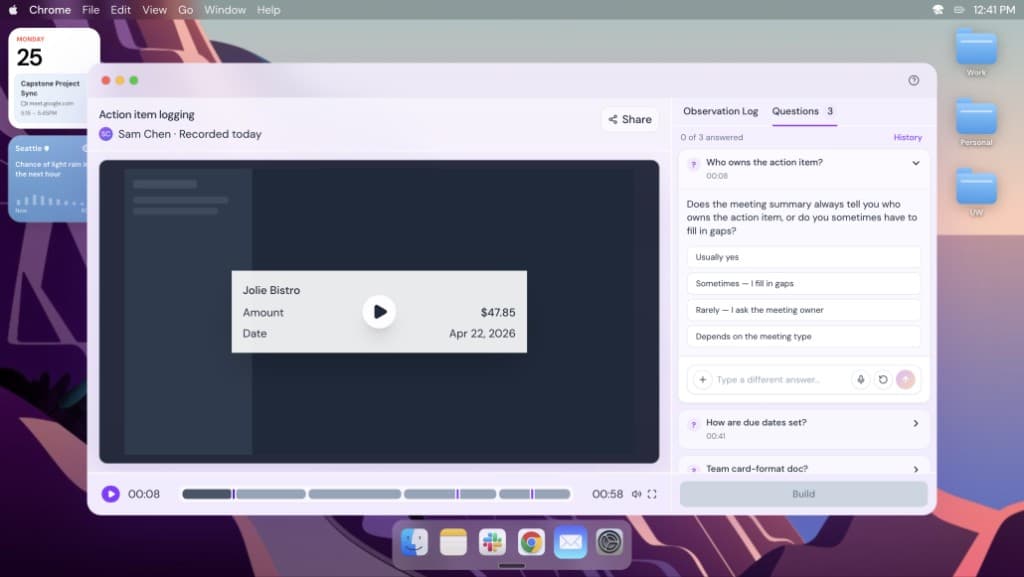
Sam reviews everything before it's built
Decision
The review screen is where trust is confirmed. Typing answers to skipped questions, instead of speaking, came straight from testing.
- The recording plays next to the observation log and open questions.
- Skipped questions wait here, with suggested answers.
- Build stays off until Sam has checked every step.
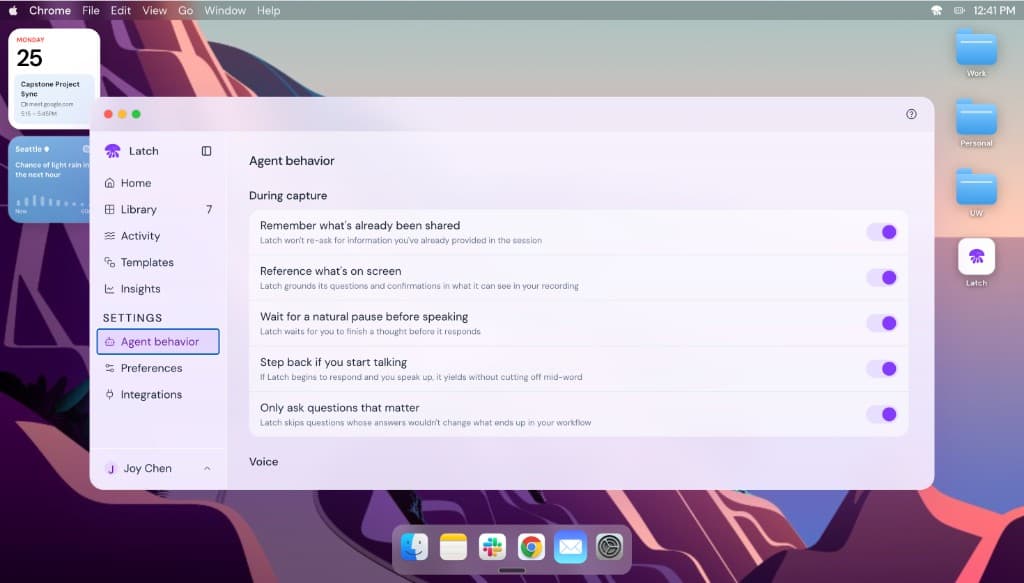
For an agent working next to you, trust comes from timing: when it speaks, when it waits, and how easily you can stop it. I wrote five rules for how Latch behaves in a session.
- Rule
It listens
Tracks what's been covered and reflects it back to confirm it understood.
- Rule
It watches
Grounds itself in what's on screen, noticing switches and actions.
- Rule
It waits
Reads natural pauses before it confirms, recaps or asks.
- Rule
It earns every question
Each question is tied to the workflow, probing branches and exceptions.
- Rule
It stays out of the way
Lives in a corner. Mute it, skip a question, pause for privacy, or turn it off.
Three risks we designed for, not just documented.
Risk
Feeling watched at work
In high-pressure workplaces, people may feel pushed into being observed.
Mitigation
Consent before every session, a privacy pause at any time, nothing kept beyond the session unless saved.
Risk
One person's habits becoming the rule
A captured workflow becomes everyone's default, inefficiencies included.
Mitigation
The review step lets people challenge and edit what was captured before it's built.
Risk
Unclear blame when automation fails
Non-technical users may accept outputs they can't evaluate.
Mitigation
Every step is traceable, irreversible actions stay manual, and people own the final output.
01
Check where the failure starts
The brief asked for a dashboard. Following the problem back to capture changed the project.
02
Prototypes settle debates
Building both extremes in Cursor let people react to real behaviour, and their reactions set the direction.
03
Prototype agent timing early
Most of the trust came from when Latch spoke and when it waited. Next time I'd test timing in week one.
Next case study
[ 02 ] HDFC Bank
Enterprise Loan Management Platform for India's Largest Private Bank
One coherent path from initiation to disbursement, replacing a toolchain spread across agents, spreadsheets and legacy screens.